

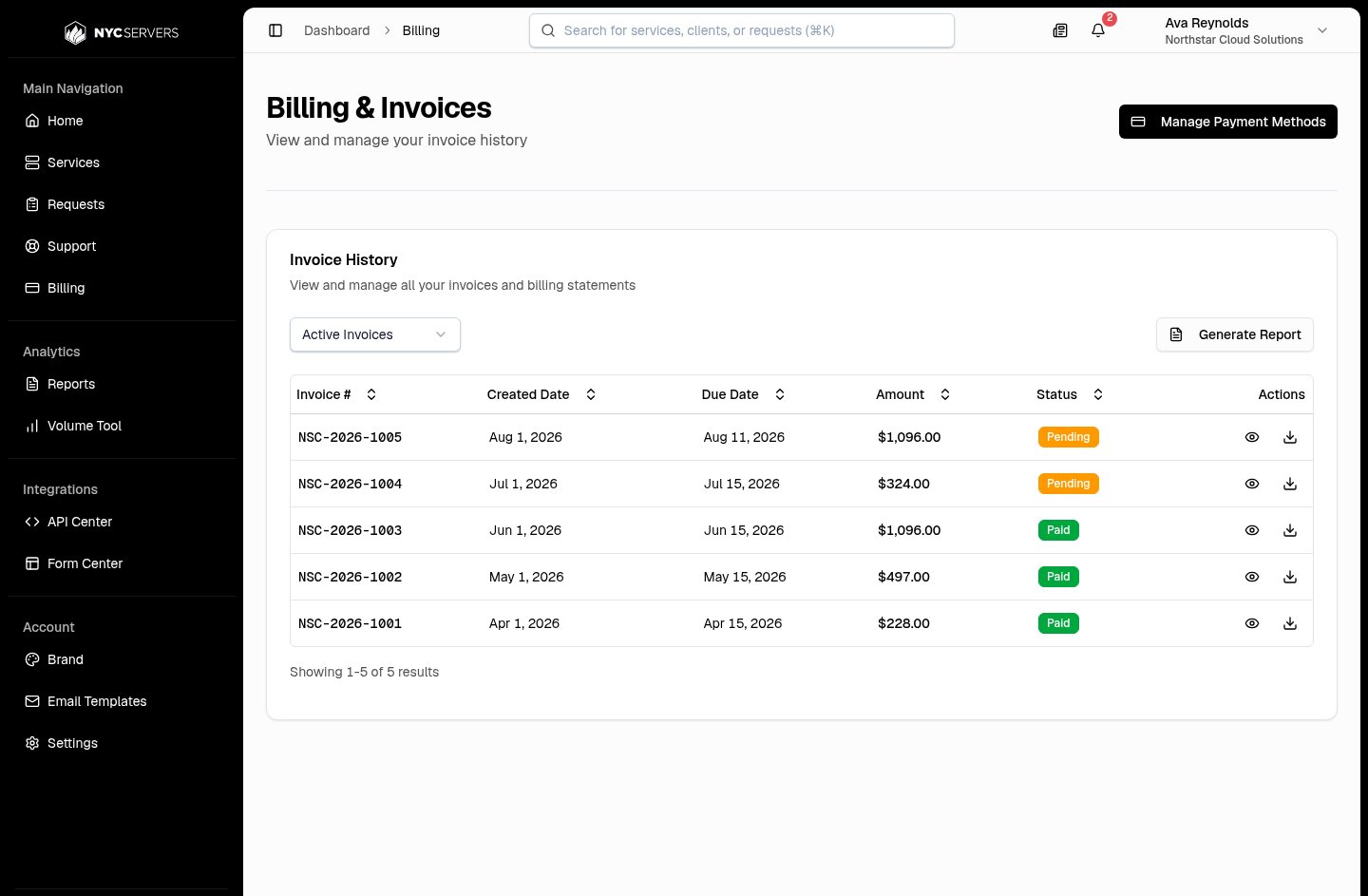
Open Invoice Details
- Find the invoice in Invoice History.
- Select View Details in Actions.
Review Invoice Details
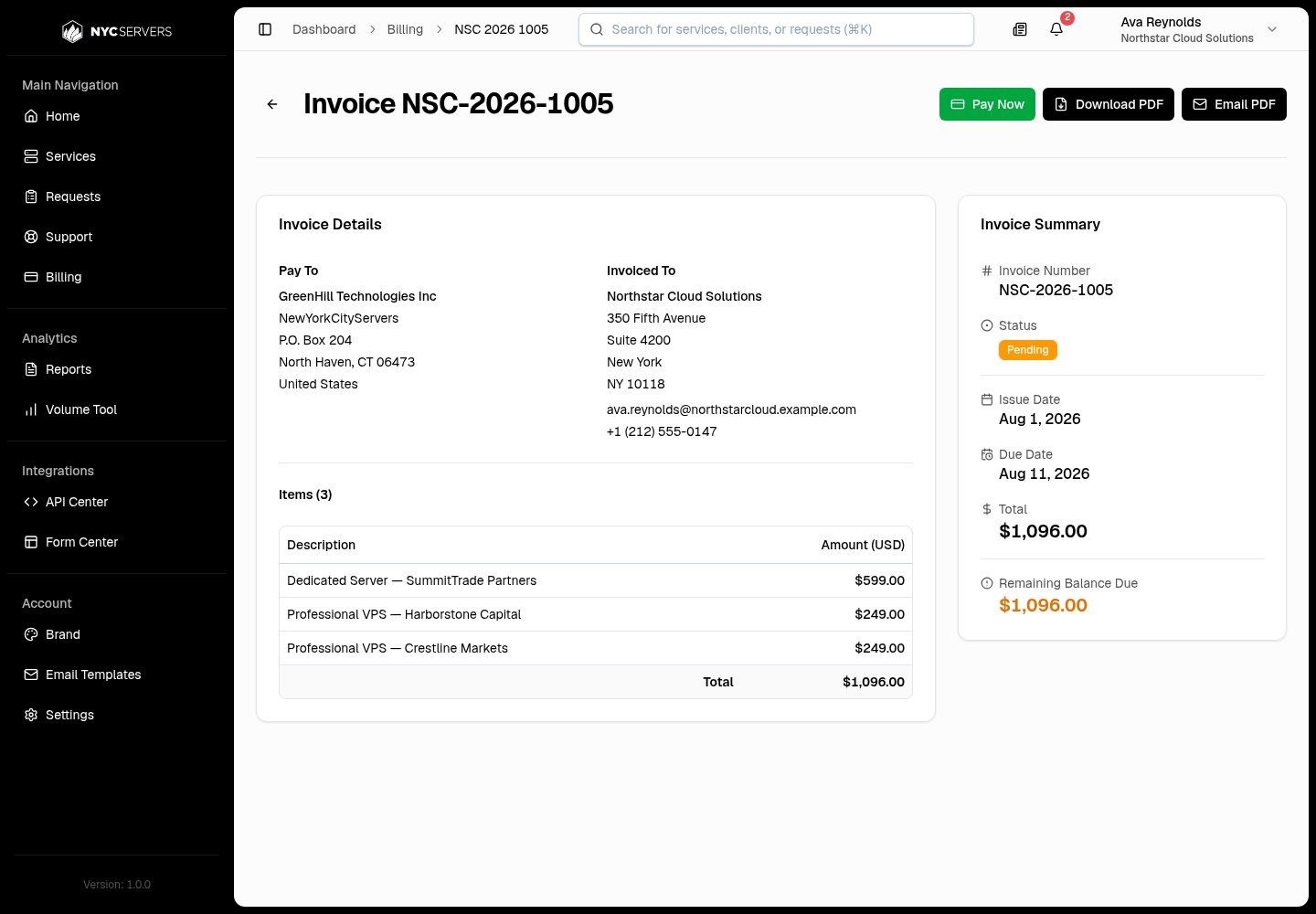
- Pay To shows the NYCServers company and address.
- Invoiced To shows the available company name, address, email address, and phone number for your broker account.
- Invoice Number
- Status
- Issue Date
- Due Date
- Date Paid for a paid invoice that has a payment date
- Total
- Remaining Balance Due when an invoice is not paid and has an amount due
Review Payment History
Payment History appears when the invoice has at least one payment record. It shows these fields:Pay A Pending Card Invoice
Pay Now appears only when all these conditions apply:- The broker account uses card billing.
- The invoice status is Pending.
- The invoice has an amount due.
- Select Pay Now.
- Wait for the payment result.
Pay By Bank Wire
Pay Now is not available when the broker account uses Bank Wire Transfer. For a pending invoice with an amount due, the page directs you to Wire Instructions. When wire instructions are ready, the panel can show these fields:
Review the help text beside Invoice Memo before you send payment. If wire instructions are not ready, the page shows an unavailable message and does not show the Wire Instructions panel.
Download An Invoice PDF
Select Download Invoice in the Invoice History row, or Download PDF on the invoice detail page. The browser downloadsinvoice-[invoice number].pdf. The PDF contains the invoice addresses, dates, status, line items, total, applicable balance due, and available payment history. It also contains available notes. A pending bank wire invoice includes available wire instructions.
If the detail-page download fails, the page shows Failed to download invoice.
Email An Invoice PDF
Email PDF sends the invoice PDF to the email address of the signed-in Admin user.- Open the invoice.
- Select Email PDF.
- Wait for Invoice sent successfully.
invoice-[invoice number].pdf. If the email cannot be sent, the page shows Failed to send email and an error description.
Draft invoices are not available on the list, detail page, PDF action, or email action.